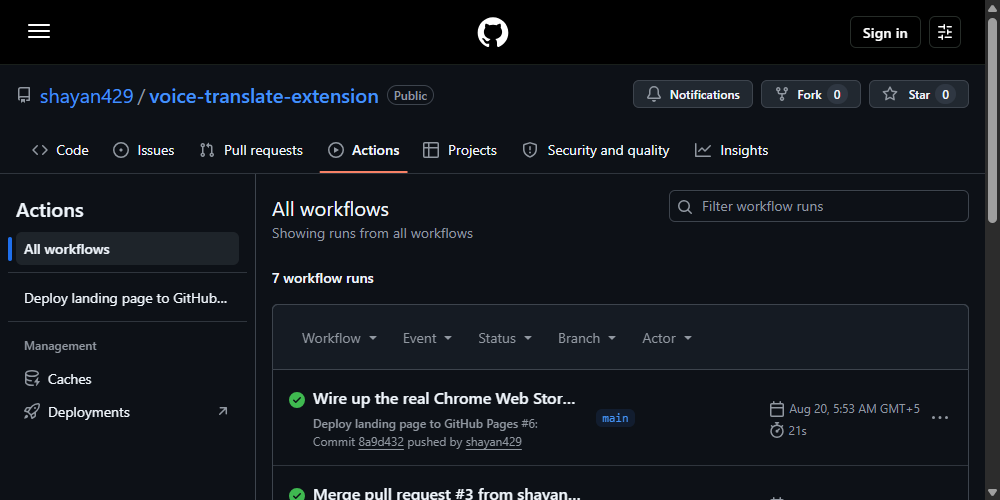
I built a custom GitHub Actions workflow to deploy the Voice Translate & Dictate landing page — a plain static site living in a website/ subfolder, deployed via actions/upload-pages-artifact and actions/deploy-pages. I pushed it, went into the repo's Settings → Pages, and turned Pages on. A minute later, the live site was showing my README file, rendered as a barebones Jekyll blog — not the landing page I'd just built.
What actually happened
When you enable GitHub Pages with "GitHub Actions" as the source and there's no existing workflow, GitHub's UI proactively suggests starter workflows — and one of the suggested options is "Jekyll." If you (or, in my case, a slightly too-eager assistant working on my behalf) accept that suggestion, GitHub commits an entirely separate workflow file, something like jekyll-gh-pages.yml, straight into your repository. That workflow builds the repo's README through Jekyll and deploys that to Pages.
The problem is that both workflows target the same Pages deployment. Whichever one finishes last "wins" and becomes the live site — and since the Jekyll workflow got added and triggered after my real deploy workflow, it silently clobbered it. Nothing failed. No error appeared anywhere. The build just... deployed the wrong thing.
How I found it
The tell was simple once I looked: the live page's title and content matched my README.md, styled with GitHub's default Jekyll theme, not the actual HTML/CSS I'd written. Checking the Actions tab confirmed it — two separate workflow runs, "Deploy landing page to GitHub Pages" and "Deploy Jekyll with GitHub Pages dependencies preinstalled," both targeting the same environment, with the Jekyll one having run more recently.
The fix
Delete the auto-added Jekyll workflow file entirely, and — this part matters — re-trigger your real deploy workflow so it becomes the most recent deployment again. Just deleting the competing workflow doesn't retroactively fix what's already live; you need a new deployment to actually take over. I also removed the paths: filter on my own workflow's trigger (it was originally set to only run on changes inside website/**), since a fix that only touches .github/workflows/ wouldn't have re-triggered it otherwise.
on:
  push:
    branches: [main]
  workflow_dispatch:
Now any push to main redeploys, and there's exactly one workflow with a claim on the Pages environment.
The lesson
GitHub Pages' "helpful" starter-workflow suggestions are convenient exactly once — the first time you're setting up Pages on a brand-new repo with no existing site. If you already have a real deploy pipeline, treat every suggested workflow as something to decline, not accept, even if the UI presents it as a normal next step. And if a static site ever "deploys successfully" but shows the wrong content, check the Actions tab for a second workflow you didn't know was fighting yours for the same deployment — that's a more common failure mode than it sounds.